Where do I find ad budget and launch time?
Modifying the budget directly isn't available in Kitchn.
However, you can do this by duplicating an existing ad set and then overwriting the budget for the newly duplicated ad set.
You can find the step-by-step guide here: How to duplicate a campaign or ad set.
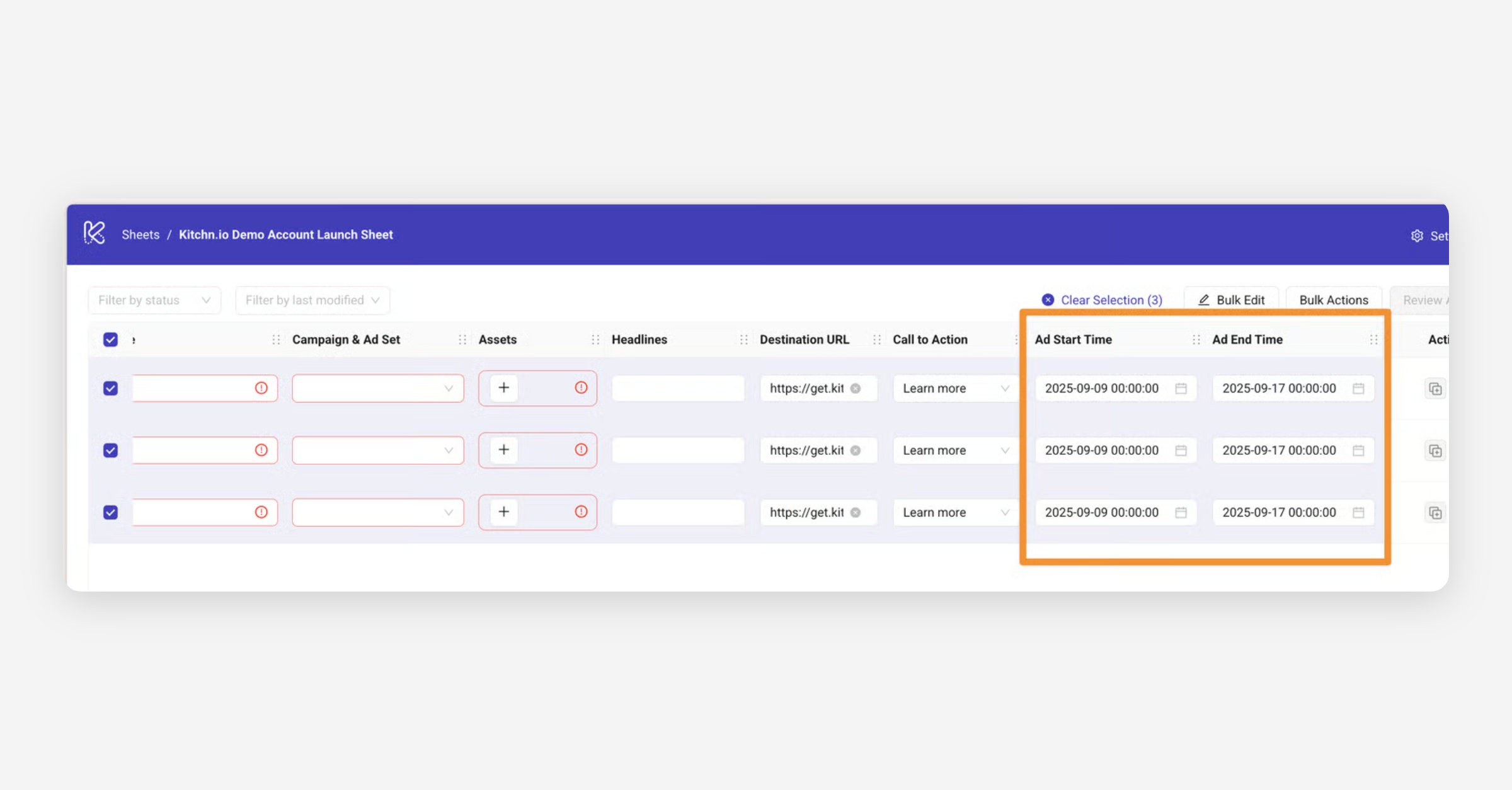
As for scheduling ads, you can set a start and end date/time directly before launching them through the Launch Product.
Here's how to do it:
1. Create a new launch sheet.
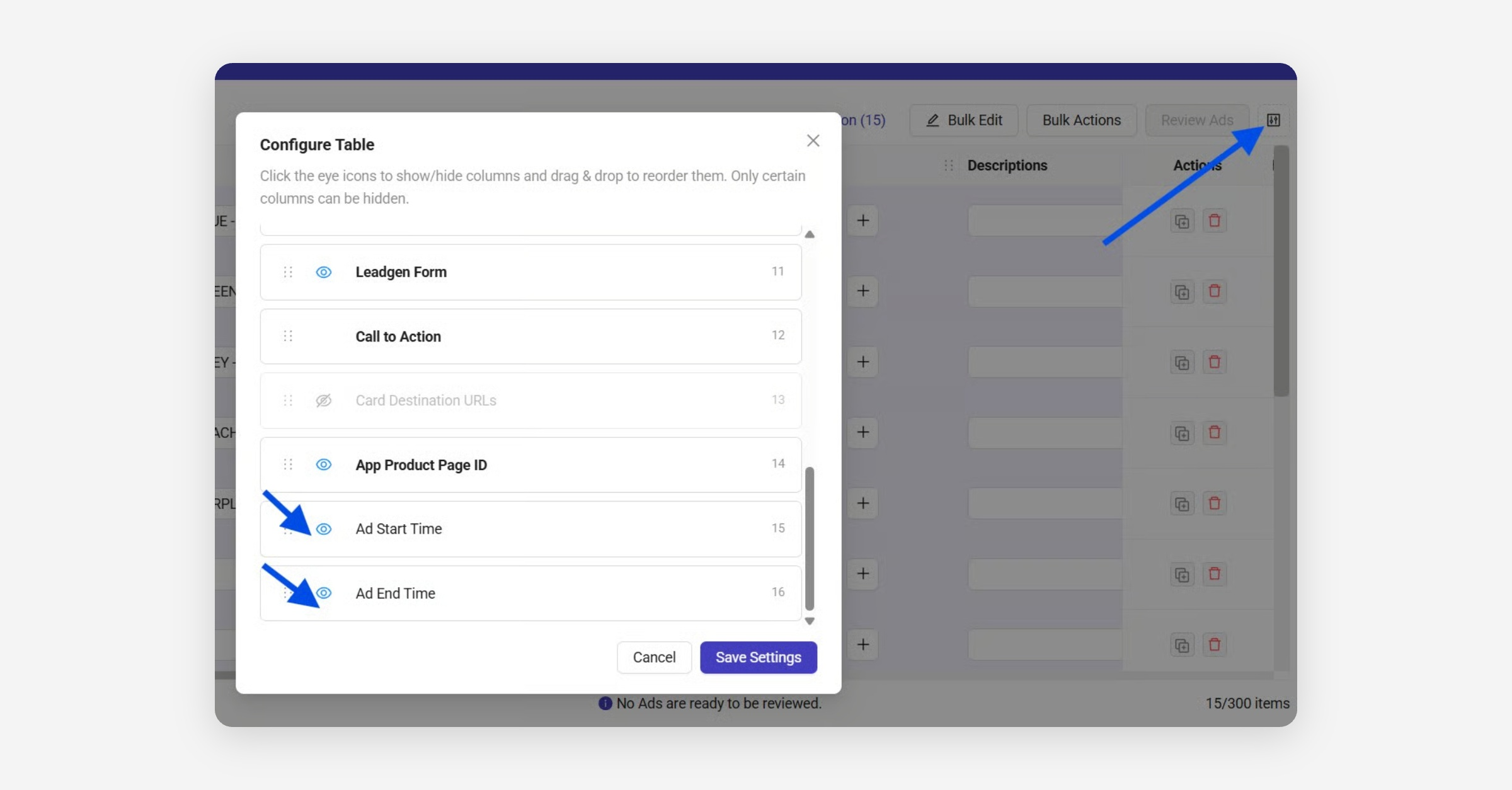
2. Click on the Configure table settings button located on the top right, right next to the 'Review Ads' button.
3. You'll find a list with options to show or hide the columns of your board.
Click the 👁️ icon next to Ad Start Time and Ad End Time options.
4. The new columns will appear in your sheet - from there, you can select the desired date and time for your ads.
The Ad start time, and Ad end time can be set row by row, or in bulk: