
Integrations
How does Meta Integration Work?
Meta Integration
Per one customer's organization account, one (main) user of the customer can authenticate their Meta Ads Manager account through the Kitchn.io application that is registered with Meta. The integration will allow the user to select their ad accounts, in order to make them available within the Kitchn.io platform. Kitchn.io is a certified Meta Business Partner.
When the integration is successful, users can set up automations to perform actions such as: Creating ads or ad sets in Meta, uploading media creatives into the Meta Asset Library, or take actions based on rules (such as reduce budget, when CPM is over a certain threshold).
All these requests are handled through the Meta Marketing API. Only accounts that are selected to be available by the main user are available.
Invited users are able to perform automations through the same authentication of the main user.
In Meta, these actions will show up as performed by the main user, but marked as performed through the Kitchn.io Application (instead of, for example, in the Meta Ads Manager).
See all requested permissions below.
How does the Google Drive Integration work?
Google Drive Integration
When you connect to Google Drive, the Kitchn.io App will connect your user name and email address with your Google credentials.
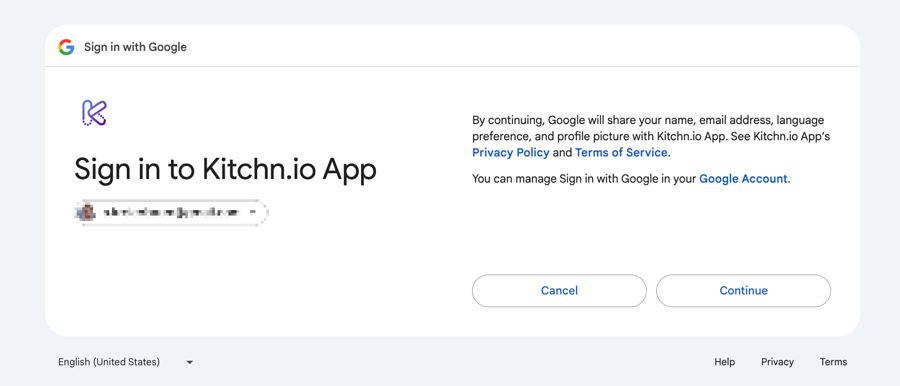
Only files that you explicitly select and share with the application will be accessible.
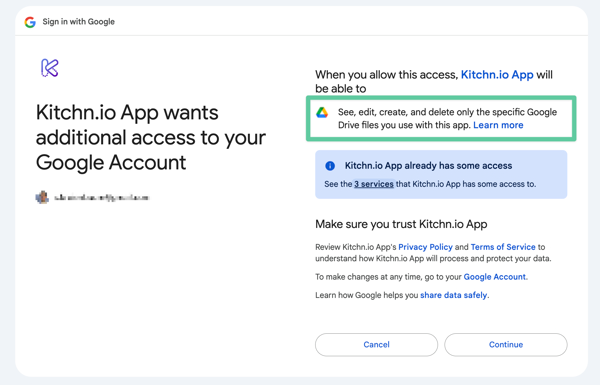
We use Google's recommended non-sensitive scope drive.file.
Note: The user who connects their Google Drive account shares access with their colleagues.
How does the Dropbox Integration work?
Dropbox Integration
Kitchn.io integrates with Dropbox using their Chooser product. That means there is no connection between Kitchn.io and Dropbox other than for the exact files a user chooses from their own Dropbox account.
When a file is chosen, Dropbox generates a download URL. This is passed on to Kitchn.io to store the asset on our servers, and then to upload to the desired Ad platform.
How does the Slack integration work?
Slack Integration
Adding Kitchn.io's app to your Slack workspace works via the 'user creation' in the integration. This allows anyone in your Kitchn.io organization to select any private and public channels to send automated messages. No content of said channels is shared with Kitchn.io. See exact definition of the used scopes here.