
Why aren’t my ads showing in Ads Manager?
Overview
Sometimes ads you create and send from Kitchen are not visible in the main Ads Manager list even though Meta reports the ad set contains those ads. This is often due to a delay or display inconsistency on Meta's side — the ads are created correctly but not yet shown in the list view.
How to verify the ads exist
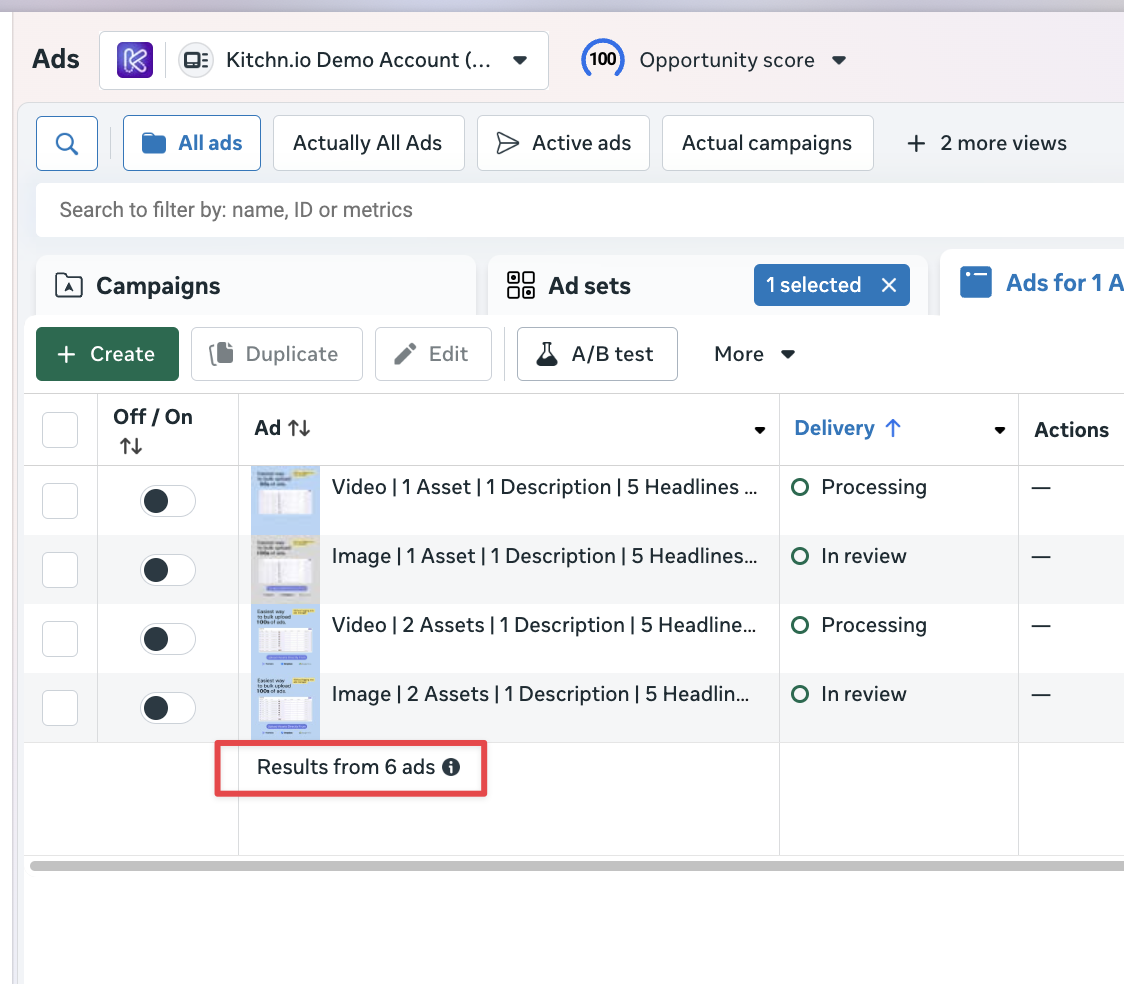
Check the total number shown at the bottom of the ad list (e.g., "6 ads"). If that number is higher than the items visible, the missing ads likely exist.
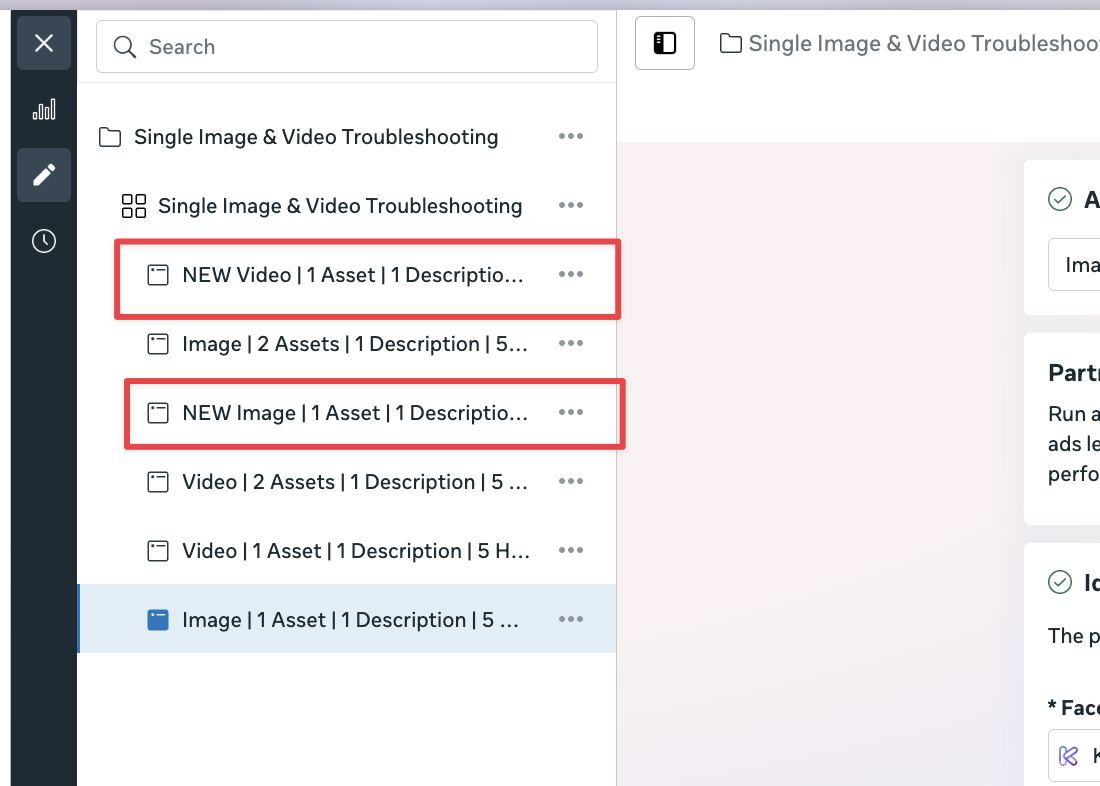
Open an ad in Editing mode (or click "Edit" on the ad set). The editor view typically displays all ads in the set, including those not shown in the list view.
Troubleshooting steps
Wait a few minutes and refresh Ads Manager — short delays on Meta's side can resolve the issue.
Use the editor view to confirm the ad content and status.
Clear browser cache or try a different browser if the list still doesn't update.
If you see the ads in editing mode but not in the list after several minutes, report it to support with the ad set ID and a screenshot of the discrepancy.
When to contact support
Contact support if the ads remain missing from the list view after allowing time for Meta to update and trying the troubleshooting steps above. Include the ad set ID and screenshots showing the total count and the editor view.
Notes
This behavior is caused by Meta Ads Manager display delays and does not indicate that Kitchen failed to create the ads.